OpusClip
AI video tool that scans a long recording (podcast, webinar, stream) and automatically cuts out the best short clips, ranked by how likely they are to go viral.
🔗 Visit OpusClip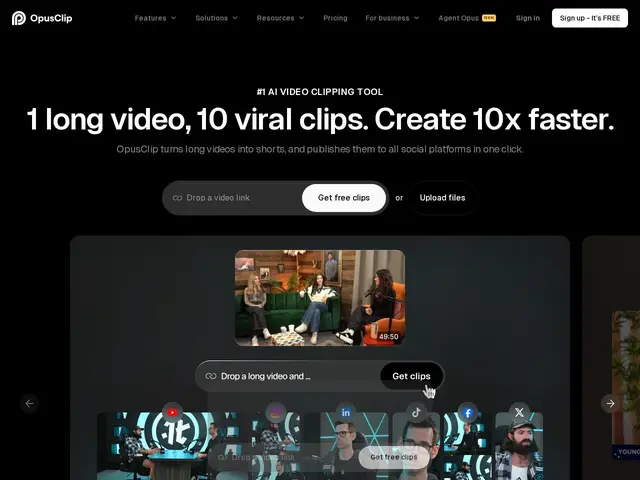
Description
Turning a one-hour podcast or webinar recording into a handful of short clips worth posting on TikTok or Instagram is genuinely tedious work — watching the whole thing, spotting the good moments, cutting and reframing each one for a vertical screen. OpusClip automates that entire hunt: feed it a long video, and it finds the moments worth clipping on its own, reframes them for short-form video, and even scores each clip on how likely it is to perform well. OpusClip's ClipAnything model works across any video genre, ReframeAnything auto-resizes footage with AI object tracking so the subject stays centered in a vertical frame, and it adds automatic captions (claimed 97%+ accuracy), a virality score per clip, AI voiceovers, AI upscaling, and text-based editing, then publishes directly to YouTube, TikTok and Instagram. An API is available for teams wanting to automate the workflow at scale, with a free tier (60 min/month) up through unlimited Pro usage.
💬 Our review
The short version: OpusClip's real value is the selection step, not just the editing — finding which moments in a long recording are actually worth clipping is the part that used to require a human watching the whole thing, and that's the part it automates most convincingly.
The virality scoring feature is the most genuinely differentiated part versus a plain auto-clip tool: instead of leaving a creator to guess which of ten generated clips to post first, it ranks them by predicted engagement, which is directly useful triage for someone posting daily. Auto-reframing with object tracking (keeping a moving speaker centered in a vertical crop) is solid, mature technology at this point and works reliably across the category. The honest trade-off versus Submagic: OpusClip is stronger at finding and ranking clips inside a long recording, while Submagic is the better choice once you already have a short clip and want the best animated captions, B-roll insertion and quick polish — many serious short-form creators end up using both in sequence rather than picking one exclusively. Vendor-reported user counts (16M+) and accuracy figures (97%+ captions) weren't independently verified and should be treated as marketing figures rather than audited benchmarks, standard for this category.
💰 Pricing
📊 Global score
🤖 AI-enriched data
Pros
Automatically finds and ranks the best clips inside a long video by predicted engagement
Auto-reframing with AI object tracking for vertical formats
Multi-platform direct publishing (YouTube, TikTok, Instagram)
API available for workflow automation at scale
Cons
Better at finding/ranking clips than at final polish (captions, B-roll) compared to Submagic
User/accuracy figures are vendor-reported, not independently audited
❓ Frequently asked questions
- What does OpusClip actually automate — editing or finding clips?
- Primarily finding and ranking clips: it scans a long video, identifies the moments worth posting, and scores each one by predicted engagement, before doing the reframing and captioning.
- Does it publish directly to social platforms?
- Yes — it supports direct publishing to YouTube, TikTok and Instagram alongside the clip generation.
- Can I automate this at scale via an API?
- Yes, an API is available for teams that want to feed videos into OpusClip programmatically rather than through the web app.
- Is it worth the money compared to alternatives?
- The free tier (60 min/month) is enough to validate fit, and Pro at $29/month is inexpensive relative to the manual editing time it replaces — worth it primarily for the clip-finding/ranking step; pair it with Submagic if you also want best-in-class caption/B-roll polish on the output.
- Which tool should you pick for your case?
- Need to find and rank the best clips inside long recordings: OpusClip. Already have a clip and want the best captions/B-roll polish: Submagic. Prefer editing video by editing a transcript: Descript.