Meshy
AI 3D model generator that turns a text prompt or a single image into a textured, riggable 3D model exportable to game engines or 3D printers in under a minute.
🔗 Visit Meshy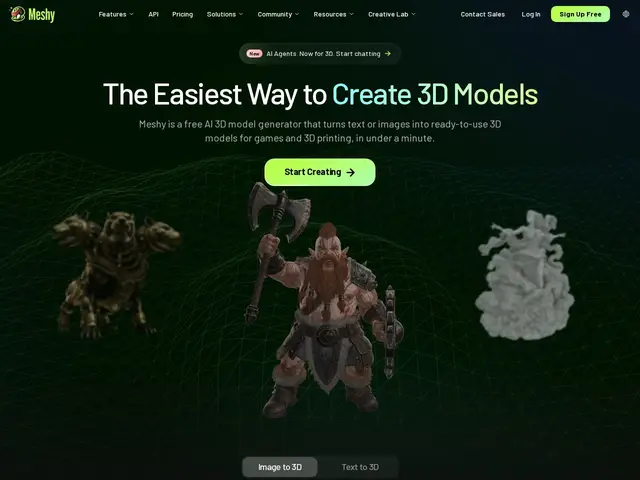
Description
Making one usable 3D character for a game — modeled, textured, rigged so it can move — normally takes a skilled artist many hours per asset. Meshy compresses that into a short wait: describe what you want, or upload a reference image, and it generates a real 3D model with color and material already applied, ready to drop into a game engine or send to a 3D printer. Meshy covers both text-to-3D and image-to-3D generation, applies AI texturing with proper PBR material maps, auto-rigs models with 600+ motion presets for animation, and exports to every format a working pipeline needs (OBJ, FBX, GLB, USDZ, STL, 3MF). For the 3D-printing side specifically it adds printability checking, auto-repair of broken geometry, multi-color print support and automatic model splitting for printers with size limits. A generous free tier (100 credits/month with CC BY 4.0-licensed output) makes it easy to try before committing to a paid plan.
💬 Our review
The short version: Meshy turns 3D asset creation from a many-hours, skilled-artist task into a minutes-long, describe-it-and-get-a-model workflow — genuinely useful for indie game developers and hobbyist 3D printer owners who don't have (or can't afford) a dedicated 3D artist.
The practical strength is breadth of output formats and use cases in one tool — most competitors specialize either in game-ready assets or 3D-printing-ready models, but Meshy covers both, plus animation-ready rigging with hundreds of motion presets. The free tier is unusually workable (100 credits/month, CC BY 4.0 license on outputs) compared to most generative AI tools that gate everything behind a paywall from the first use. The honest limitation, shared across this entire category: AI-generated 3D assets are strongest for background props, environment pieces, and rapid prototyping, and still typically need 1-4 hours of manual cleanup for hero characters or anything that needs to hold up under close-up scrutiny — this speeds up a pipeline, it doesn't yet fully replace a 3D artist for premium work. Against 3D AI Studio, which markets a more complete node-based pipeline builder (Flow) for teams wanting to chain steps together, Meshy is the more streamlined, single-model-at-a-time tool, better suited to solo creators than studio pipelines.
💰 Pricing
📊 Global score
🤖 AI-enriched data
Pros
Covers both game-ready assets and 3D-printing-ready models in one tool
Auto-rigging with 600+ motion presets for animation
Wide export format support (OBJ, FBX, GLB, USDZ, STL, 3MF)
Workable free tier (100 credits/month) with CC BY 4.0 licensed output
Cons
Hero/close-up assets still typically need manual artist cleanup
Less pipeline/workflow-building depth than 3D AI Studio's node-based Flow tool
❓ Frequently asked questions
- Can Meshy generate a 3D model from just an image?
- Yes — alongside text-to-3D, it supports image-to-3D generation from a single reference photo.
- Are the models ready to animate?
- Meshy auto-rigs generated models and provides over 600 motion presets, so they're usable for animation without manual rigging work.
- Can I use Meshy for 3D printing, not just games?
- Yes — it includes printability checking, auto-repair of broken geometry, multi-color print support, and automatic model splitting for printer size limits.
- Is it worth the money compared to alternatives?
- The free tier is generous enough to test real use cases before paying, and the $20/mo Pro tier is inexpensive relative to hiring a 3D artist per asset — worth it for prototyping and background/prop assets, less so if you need hero-quality characters without any manual cleanup.
- Which tool should you pick for your case?
- Single models quickly for games or printing: Meshy. Building a repeatable studio pipeline with node-based workflows: 3D AI Studio. Fastest possible iteration speed over polish: Tripo.