DevPod
Open-source, client-only tool that creates reproducible development environments from a devcontainer.json file, running on Docker, Kubernetes or any cloud VM.
🔗 Visit DevPod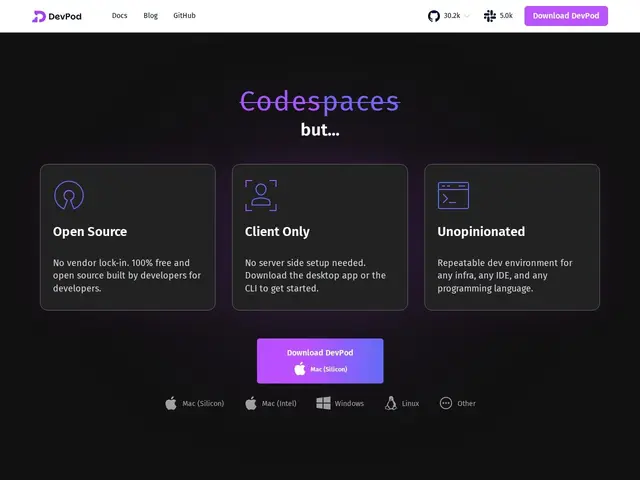
Description
Getting a new teammate's laptop set up to run your codebase — right compiler version, right services, right environment variables — regularly eats a full day of "it works on my machine" troubleshooting. DevPod turns that setup into a single shared configuration file: anyone on the team runs one command and gets an identical, working development environment, whether it lives on their laptop, a company server, or the cloud. DevPod is an open-source, client-only tool for creating reproducible development environments as code, based on the open devcontainer.json standard. It's provider-agnostic — the same environment definition can run on local Docker, a Kubernetes cluster, a remote machine, or a cloud VM — with a lightweight desktop UI and CLI, and integrates with VS Code, IntelliJ and other IDEs. Built by vCluster Labs (formerly Loft Labs), it has no required backend server: everything runs from the client, which is the core architectural difference from server-hosted alternatives like Gitpod or Coder.
💬 Our review
The short version: DevPod is for teams who like the idea of Gitpod-style reproducible dev environments but don't want to run or pay for a hosted service — it's genuinely free, open source, and yours to point at whatever infrastructure you already have.
The client-only architecture is the real distinction from Coder and Gitpod, both of which require a server component you deploy and maintain: DevPod's CLI talks directly to whatever provider you configure (local Docker, a Kubernetes cluster, a cloud VM), with no DevPod-operated control plane in between. That makes it the natural pick for individual developers or small teams who want devcontainer-based reproducibility without infrastructure to manage, following the same standard VS Code's own Dev Containers extension uses. The trade-off against Coder specifically is that DevPod doesn't include Coder's centralized admin, audit, and access-control features aimed at larger organizations — if you're a 50-person engineering org needing centralized policy enforcement across dev environments, Coder's server model is built for that; DevPod is built for developers who just want it to work without asking a platform team to provision anything.
💰 Pricing
📊 Global score
🤖 AI-enriched data
Pros
Completely free and open source with no required backend server
Based on the open devcontainer.json standard, same as VS Code Dev Containers
Provider-agnostic: runs on local Docker, Kubernetes, or any cloud VM
Actively maintained by vCluster Labs with 15,000+ GitHub stars
Cons
No centralized admin, audit or access-control layer for larger organizations
No managed hosted version — you provide and manage the underlying infrastructure
Less turnkey than a fully hosted service like GitHub Codespaces for non-technical setup
❓ Frequently asked questions
- Do I need to run a server to use DevPod?
- No — DevPod is client-only. The CLI talks directly to whatever provider you point it at (Docker, Kubernetes, a cloud VM), with no DevPod-operated backend in between.
- What is devcontainer.json and why does it matter?
- It's an open standard for describing a development environment (base image, extensions, ports, setup commands) also used by VS Code's own Dev Containers extension — meaning environments defined for DevPod are portable to other tools that support the same standard.
- Is DevPod really free?
- Yes, it's fully open source with no paid managed version — you provide the underlying compute (local machine, Kubernetes cluster, or cloud VM).
- Which IDEs does it support?
- It integrates with VS Code, IntelliJ and other IDEs that can connect to a remote or containerized development environment.
- Is it worth the money compared to alternatives?
- DevPod costs nothing beyond whatever infrastructure you already run it on, which makes it hard to beat on price against Gitpod or Coder's per-user or per-seat fees — the trade-off is you lose their centralized admin/audit tooling, which only matters once you have a platform team managing dev environments for a larger organization.
- Which tool should you pick for your case?
- Individual developer or small team wanting free, self-managed reproducible environments: DevPod. Larger org needing centralized admin, audit and self-hosting: Coder. Want a fully managed hosted service with no infrastructure to run: GitHub Codespaces or Daytona.