Thunder Client
Lightweight REST/WebSocket/gRPC API client built into VS Code and JetBrains — no app switching, local-first, git-syncable.
🔗 Visit Thunder Client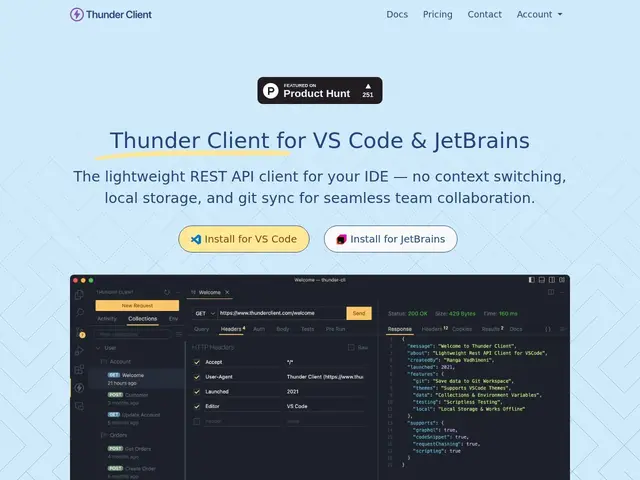
Description
When developers build an app that talks to a server, they constantly need to fire test requests at it — check that an endpoint returns the right data, that a login works, that an error is handled properly. Thunder Client is a tool that lets them do this directly inside the code editor they're already using, instead of switching to a separate app. Thunder Client is a REST API client extension for VS Code and JetBrains IDEs that lets developers test and debug APIs without leaving their editor. It supports REST, WebSocket, SSE and gRPC protocols, stores collections and test data locally on the machine (kept separate from any subscription account for privacy), and syncs collections across a team via a git repository rather than a proprietary cloud. A CLI enables running the same tests in CI/CD pipelines. With over 6 million downloads across 100+ countries, it's used from solo projects up to Fortune 500 companies and financial institutions. Paid tiers add secrets-manager integration (AWS, Azure), SSO, offline activation and performance testing for enterprise teams.
💬 Our review
The short version: if you're already testing APIs with Postman but resent the extra app and account, Thunder Client does the same job without leaving your editor, for free on the basics.
Thunder Client's core insight was simple and correct: most API testing happens right after writing the code, so put the client where the code already is. Local-first storage and git-based team sync (instead of a cloud account) are the real differentiators against Postman, which pushed teams toward paid cloud workspaces. The free tier genuinely covers solo and small-team use; CI/CD integration via the CLI means the same collections that validate your API by hand can gate a pipeline. Caveats: it's closed source, so you're trusting the local-storage privacy claim rather than verifying it; the Starter/Business/Enterprise tiers are billed annually only, which is friction for short-term needs; and for heavy load/performance testing, dedicated tools (k6, Postman's own runner) go deeper. Against Bruno (fully open source, git-native by design) and Hoppscotch (browser-based, self-hostable), Thunder Client's edge is being literally inside the IDE — for teams that live in VS Code or JetBrains all day, that convenience is hard to beat.
💰 Pricing
📊 Global score
🤖 AI-enriched data
Pros
Built into VS Code/JetBrains — zero context switching
Local-first storage, git-based team sync
REST/WebSocket/SSE/gRPC in one tool
Cons
Closed source
Annual billing only on paid tiers
🔄 Alternatives to Thunder Client
See all alternatives to Thunder Client →❓ Frequently asked questions
- Does Thunder Client replace Postman entirely?
- For most day-to-day API testing inside an editor, yes. Postman still has an edge for large team collaboration platforms and advanced mock servers; Thunder Client wins on staying inside your IDE and using git instead of a cloud account.
- Is my API data sent to Thunder Client's servers?
- The vendor states collections and test data are stored locally on your machine and kept separate from your subscription account. Since it's closed source, this can't be independently verified — only take it at the vendor's word.
- Can I run Thunder Client tests in CI/CD?
- Yes, via its CLI, so the same collections you use interactively can also gate a pipeline.
- Is it worth the money compared to alternatives?
- The free tier covers solo/small-team use with no real limit on core testing. Paid tiers ($3-16/user/month) only matter once you need secrets-manager integration, SSO or performance testing — Bruno and Hoppscotch offer those extras for free but with more self-hosting effort.
- Which API client should you pick for your case?
- Live in VS Code/JetBrains, want zero friction: Thunder Client. Want fully open source and git-native by default: Bruno. Want a self-hosted browser app: Hoppscotch. Need heavy team collaboration and mock servers: Postman.